
Crawlers List: The Most Common Web Crawlers & Bots (2026)
A web crawler is an automated program that systematically browses the web to index pages, collect data, or perform specific tasks.
Bots make up roughly half of all web traffic worldwide, but not all bots are created equal. While many bots cause real damage, a significant number are legitimate and essential for how the internet works. Most good bots are web crawlers.
Below, we explain what web crawlers are, what they do, and how they work. We cover the most common crawlers you’ll see in your server logs, how to verify whether a crawler is genuine, and more.
What is a web crawler?
A web crawler is an automated program designed to systematically browse the internet. These programs follow links from one website to another, collecting information about each page they visit. That data is then used for various purposes—most notably by search engines to index content and provide relevant results to user queries.
What are crawlers used for?
Web crawlers serve multiple purposes:
- Search engine indexing: The primary use of web crawlers is to help search engines like Google, Bing, and Yahoo create and update their search indexes.
- Data mining: Researchers and businesses use crawlers to gather specific types of data from websites for analysis or market research.
- Web archiving: Organizations like the Internet Archive use crawlers to preserve snapshots of websites over time.
- Website maintenance: Webmasters use crawlers to check for broken links, monitor site performance, and ensure content is up to date.
- Content aggregation: News aggregators and price comparison sites use crawlers to collect and compile information from multiple sources. This is an example of a crawler you may not want on your website.
How does a web crawler work?
A web crawler typically follows a series of steps:
- Starting point: The crawler begins with a list of URLs to visit, often called the “seed” list.
- Fetching: It downloads the web pages associated with these URLs.
- Parsing: The crawler analyzes the downloaded page’s content, looking for links to other pages.
- Link extraction: It identifies and extracts new URLs from the parsed content.
- Adding to the queue: New URLs are added to the list of pages to visit.
- Rinse and repeat: The process continues with the crawler following new links and revisiting known pages to check for updates.
- Indexing: The collected data is processed and added to the search engine’s index or other relevant database.
The most common web crawlers
Let’s dig into the crawlers list, starting with the most frequently encountered web crawlers. Understanding these can help you optimize your site for better visibility and manage your server resources more effectively.
Quick reference table
| Crawler | Operator | User-agent token | Type | Good or bad? |
| Googlebot | Googlebot | Search | ✅ Good | |
| Bingbot | Microsoft | bingbot | Search | ✅ Good |
| YandexBot | Yandex | YandexBot | Search | ✅ Good |
| Applebot | Apple | Applebot | Search | ✅ Good |
| DuckDuckBot | DuckDuckGo | DuckDuckBot | Search | ✅ Good |
| Baiduspider | Baidu | Baiduspider | Search | ✅ Good |
| Sogou Spider | Sogou / Sohu | Sogou | Search | ✅ Good |
| Slurp | Yahoo | Slurp | Search | ✅ Good |
| Yeti | Naver | Yeti | Search | ✅ Good |
| LinkedInBot | LinkedInBot | Social | ✅ Good | |
| Twitterbot | X (Twitter) | Twitterbot | Social | ✅ Good |
| Pinterestbot | Pinterestbot | Social | ✅ Good | |
| Facebook External Hit | Meta | facebookexternalhit | Social | ✅ Good |
| AhrefsBot | Ahrefs | AhrefsBot | SEO | ✅ Good (if you use Ahrefs) |
| SemrushBot | Semrush | SemrushBot | SEO | ✅ Good (if you use Semrush) |
| Rogerbot | Moz | rogerbot | SEO | ✅ Good (if you use Moz) |
| GPTBot | OpenAI | GPTBot | AI | ⚠️ Depends (allow or block) |
| ClaudeBot | Anthropic | ClaudeBot | AI | ⚠️ Depends (allow or block) |
| PerplexityBot | Perplexity | PerplexityBot | AI | ⚠️ Depends (allow or block) |
| Google-Extended | Google-Extended | AI training | ⚠️ Separate opt-out available | |
| CCBot | Common Crawl | CCbot | AI training | ⚠️ Depends (allow or block) |
| Bytespider | ByteDance | Bytespider | AI / Search | ⚠️ Depends |
| Amazonbot | Amazon | Amazonbot | AI | ⚠️ Depends |
Googlebot
- User agent: Googlebot
- Full user-agent string (Googlebot Desktop): Mozilla/5.0 AppleWebKit/537.36 (KHTML, like Gecko; compatible; Googlebot/2.1; +http://www.google.com/bot.html) Chrome/W.X.Y.Z Safari/537.36
Where would any of us be without Google? As you can imagine, Google crawls a lot, and as a result, they have several crawlers. There’s Googlebot-Image, Googlebot-News, Storebot-Google, Google-InspectionTool, GoogleOther, GoogleOther-Video, and Google-Extended. But Googlebot is the primary web crawler for the Google search engine. It constantly scans the web to discover new and updated content, helping Google maintain its search index.
Bingbot
- User agent: Bingbot
- Full user-agent string (Bingbot Desktop): Mozilla/5.0 AppleWebKit/537.36 (KHTML, like Gecko; compatible; bingbot/2.0; +http://www.bing.com/bingbot.htm) Chrome/W.X.Y.Z Safari/537.36
Bingbot is Microsoft’s web crawler for the Bing search engine, indexing web pages to improve Bing’s search results.
YandexBot
- User agent: YandexBot
- Full user-agent string (YandexBot 3.0): Mozilla/5.0 (compatible; YandexBot/3.0; +http://yandex.com/bots)
YandexBot is the crawler for Yandex, a popular search engine primarily in Russia, Kazakhstan, Belarus, Turkey, and countries with large Russian-speaking populations. YandexBot helps Yandex index web content and provide relevant search results.
Applebot
- User agent: Applebot
- Full user-agent string: Mozilla/5.0 (Macintosh; Intel Mac OS X 10_10_1) AppleWebKit/600.2.5
Applebot is Apple’s web crawler, used for Siri and Spotlight suggestions. It helps Apple improve search capabilities across its ecosystem of devices and services.
LinkedInBot
- User agent: LinkedInBot
- Full user-agent string: LinkedInBot/1.0 (compatible; Mozilla/5.0; Jakarta Commons-HttpClient/4.3 +http://www.linkedin.com)
LinkedIn’s bot crawls shared links to create previews on the professional networking platform. It helps LinkedIn display informative snippets when users share content.
Twitterbot
- User agent: Twitterbot
- Full user-agent string: Twitterbot/1.0 Mozilla/5.0 (Windows NT 6.2; WOW64) AppleWebKit/537.36 (KHTML, like Gecko) QtWebEngine/5.12.3 Chrome/69.0.3497.128 Safari/537.36
Same idea as LinkedInBot—X’s bot (formerly Twitter) crawls links shared on the platform to generate previews and rich media cards.
Pinterestbot
- User agent: Pinterestbot
- Full user-agent string: Mozilla/5.0 (compatible; Pinterestbot/1.0; +https://www.pinterest.com/bot.html)
Pinterest’s bot crawls the web to gather information about images and content shared on Pinterest. It helps create rich pins and improve the user experience when pinning content from external websites.
Facebook External Hit
- User agent: facebookexternalhit, Facebook Crawler
- Full user-agent string: facebookexternalhit/1.1 (+http://www.facebook.com/externalhit_uatext.php)
When an app or website is shared on Facebook, the Facebook crawler indexes wherever the links lead. This allows Facebook to gather metadata and generate link previews.
DuckDuckBot
- User agent: DuckDuckBot
- Full user-agent string: DuckDuckBot/1.1; (+http://duckduckgo.com/duckduckbot.html)
DuckDuckBot is the crawler for DuckDuckGo, a search engine focused on user privacy. It indexes web pages while respecting DuckDuckGo’s privacy-first principles.
Baiduspider
- User agent: Baiduspider
- Full user-agent string (Baiduspider 2.0): Mozilla/5.0 (compatible; Baiduspider/2.0; +http://www.baidu.com/search/spider.html)
Baiduspider is the primary crawler for Baidu, China’s largest search engine. It mainly indexes Chinese-language content but also crawls international sites. If you’re targeting Chinese-speaking audiences, you’ll want to allow Baiduspider through.
Sogou Spider
- User agent: Sogou
- Full user-agent string (Desktop): Sogou web spider/4.0 (+http://www.sogou.com/docs/help/webmasters.htm#07)
Sogou Spider is the crawler for Sogou, a Chinese search engine operated by Sohu. It focuses primarily on Chinese-language web content.
Yahoo Slurp
- User agent: Slurp
- Full user-agent string: Mozilla/5.0 (compatible; Yahoo! Slurp; http://help.yahoo.com/help/us/ysearch/slurp)
This isn’t a joke. Yahoo’s crawler is actually called Slurp. Yahoo may not be what it once was, but Slurp still actively crawls the web to gather information for Yahoo’s search and associated services.
Yeti (Naver)
- User agent: Yeti
- Full user-agent string: Mozilla/5.0 (compatible; Yeti/1.1; +https://naver.me/spd)
Yeti is the crawler for Naver, South Korea’s dominant search engine with 42 million registered users. Naver uses Yeti to index web pages and update its search engine results. If you have any audience in South Korea, Yeti is worth allowing.
AI crawlers
AI crawlers are a fast-growing category. Unlike traditional search engine bots that index pages for search results, these crawlers collect web content to train or power large language models (LLMs). You have legitimate reasons to allow or block them depending on your content strategy.
GPTBot (OpenAI)
- User agent: GPTBot
- Full user-agent string: GPTBot/1.0 (+https://openai.com/gptbot)
GPTBot crawls publicly available web pages to help train and improve OpenAI’s models, including ChatGPT. If you want to prevent your content from being used for OpenAI’s training data, you can block GPTBot in your robots.txt. Most sites that allow it do so because the exposure is worth the trade-off.
ClaudeBot (Anthropic)
- User agent: ClaudeBot
- Full user-agent string: ClaudeBot/0.1 (+https://anthropic.com/product)
ClaudeBot is Anthropic’s web crawler, used to gather training data for Claude. Like GPTBot, you can block it via robots.txt if you’d rather your content not be used for AI training.
PerplexityBot (Perplexity)
- User agent: PerplexityBot
- Full user-agent string: PerplexityBot/1.0 (+https://docs.perplexity.ai/docs/perplexitybot)
PerplexityBot crawls the web to power Perplexity’s AI-native search engine, which cites sources inline. Unlike pure training crawlers, PerplexityBot may actually drive referral traffic back to your site when it cites your content.
Google-Extended (Google AI training)
- User agent: Google-Extended
- Full user-agent string: Uses the standard Googlebot UA string with a Google-Extended token
Google-Extended is Google’s separate opt-out mechanism for AI training. It lets site owners prevent their content from being used to train Gemini and similar Google AI models, without blocking standard Googlebot indexing. You can block Google-Extended in robots.txt while still allowing Googlebot to index your pages normally.
CCBot (Common Crawl)
- User agent: CCbot
- Full user-agent string: CCBot/2.0 (+https://commoncrawl.org/faq/)
CCBot is the crawler for Common Crawl, a non-profit that builds and maintains an open repository of web data. That data is freely available, and it’s heavily used by AI researchers and organizations to train language models. CCBot itself is legitimate, but if you don’t want your content in the Common Crawl dataset (and therefore potentially in AI training pipelines), block it via robots.txt.
Bytespider (ByteDance)
- User agent: Bytespider
- Full user-agent string: Mozilla/5.0 (Linux; Android 5.0) AppleWebKit/537.36 (KHTML, like Gecko) Mobile Safari/537.36 (compatible; Bytespider; spider-feedback@bytedance.com)
ByteDance is the company behind TikTok, and Bytespider is its web crawler. It’s used for a mix of search indexing and AI training. It has drawn scrutiny in some markets due to data sovereignty concerns.
Amazonbot (Amazon)
- User agent: Amazonbot
- Full user-agent string: Mozilla/5.0 (compatible; Amazonbot/0.1; +https://developer.amazon.com/support/amazonbot)
Amazonbot is Amazon’s web crawler, used to support Alexa and Amazon’s AI services. It’s a legitimate, declared bot that follows standard crawling conventions. Like any bot in this list, you can configure your robots.txt to control its access based on your content strategy.
Top SEO crawlers
In addition to the crawlers listed above, many SEO-specific crawlers might visit your site. These bots systematically browse the internet to help SEO professionals identify technical issues, optimize site structure, and improve search visibility.
AhrefsBot
- User agent: AhrefsBot
- Full user agent string for AhrefsBot: Mozilla/5.0 (compatible; AhrefsBot/7.0; +http://ahrefs.com/robot/)
AhrefsBot is the crawler used by the marketing suite Ahrefs for SEO analysis and backlink checking. It helps Ahrefs users analyze their websites’ SEO performance and track their backlink profiles.
SemrushBot
- User agent: SemrushBot
- Full user agent string for SemrushBot: Mozilla/5.0 (compatible; SemrushBot/7~bl; +http://www.semrush.com/bot.html)
The Semrush bot is the crawler used by Semrush for competitive analysis and keyword research. It gathers data on website rankings, traffic, and keywords to provide insights for Semrush users.
Rogerbot
- User agent: Rogerbot
- Full user agent string for Rogerbot: Mozilla/5.0 (compatible; Moz.com; rogerbot/1.0; +http://moz.com/help/pro/what-is-rogerbot-)
Rogerbot is the web crawler used by the marketing suite Moz. It gathers data on website performance, backlink profiles, and keyword rankings. By collecting and analyzing this information, Rogerbot helps SEO professionals optimize their websites, improve search engine rankings, and improve the online visibility of their websites.
Screaming Frog SEO Spider
- User agent: Screaming Frog SEO Spider
- User agent string: Mozilla/5.0 (compatible; Screaming Frog SEO Spider/20.2; +https://www.screamingfrog.co.uk/seo-spider/)
Screaming Frog SEO Spider is, you guessed it, Screaming Frog’s crawler. Screaming Frog is a robust SEO tool designed for analyzing website structure and content. It helps webmasters identify critical issues such as broken links, duplicate content, and other SEO-related problems.
Lumar
- User agent: Lumar, DeepCrawl
- User agent string: Mozilla/5.0 (Linux; Android 7.0; SM-G892A Build/NRD90M; wv) AppleWebKit/537.36 (KHTML, like Gecko) Version/4.0 Chrome/60.0.3112.107 Mobile Safari/537.36 https://deepcrawl.com/bot
Lumar, previously known as DeepCrawl, is an SEO tool that focuses on website health and performance analysis. It provides detailed insights into site structure and technical SEO issues. Its crawler helps identify and rectify site performance and search engine problems.
Google-InspectionTool
- User agent: Google-InspectionTool
- Full user agent string for Google-InspectionTool: Mozilla/5.0 (compatible; Google-InspectionTool/1.0;)
One of Google’s many crawlers, Google-InspectionTool is used to analyze and inspect web pages for issues related to indexing and SEO. It provides insights into how Google views a site, helping webmasters identify and resolve issues that might affect their site’s visibility in search results. This tool is essential for ensuring that web pages are properly indexed and optimized for search engines.
Sitebulb Crawler
- User agent: Sitebulb Crawler
- Full user agent string for Sitebulb Crawler: Mozilla/5.0 (compatible; Sitebulb/3.3; +https://sitebulb.com)
Sitebulb is a desktop application that performs in-depth SEO audits. It provides detailed insights into site performance, structure, and health, helping users identify and fix technical SEO issues. Its crawler enables you to enhance your website’s visibility by making sure that all technical elements are optimized for search engines.
Botify
- User agent: Botify
- Full user agent string for Botify: Mozilla/5.0 (compatible; Botify/2.0; +http://www.botify.com/bot.html)
Botify is a comprehensive site crawler designed for SEO optimization. It helps analyze website performance and identify areas for improvement by providing actionable insights. Its crawler helps ensure that your website is fully optimized for search engines.
JetOctopus
- User agent: JetOctopus
- Full user agent string for JetOctopus: Mozilla/5.0 (compatible; JetOctopus/1.0; +http://www.jetoctopus.com)
JetOctopus is a high-speed cloud-based SEO crawler. It provides detailed analyses of website structures, helping identify and fix technical SEO issues quickly.
Top crawler tools
Web crawlers are important tools for more than just SEO and social media. The following bots systematically browse the internet to monitor website uptime, transfer data into spreadsheets, assess which technologies a website uses, and more.
UptimeRobot
- User agent: UptimeRobot
- Full user agent string for UptimeRobot: Mozilla/5.0+(compatible; UptimeRobot/2.0; http://www.uptimerobot.com/)
UptimeRobot is a monitoring service that uses its bot to check websites’ uptime and performance, ensuring they are available and responsive for users.
Zyte (formerly Scrapinghub)
- User agent: Zyte
- Full user agent string for Zyte: Mozilla/5.0 (compatible; Zyte/1.0; +https://www.zyte.com)
Zyte provides web scraping and data extraction services through its platform, Scrapy Cloud. It offers tools for managing and deploying web crawlers at scale, helping businesses collect and analyze web data for competitive intelligence and market research.
HTTrack
- User agent: HTTrack
- Full user agent string for HTTrack: HTTrack Website Copier/3.x.x archive (https://www.httrack.com)
HTTrack is a free and open-source website copier and offline browser utility. It allows users to download websites and browse them offline, preserving the original site structure and links.
ParseHub
- User agent: ParseHub
- Full user agent string for ParseHub: Mozilla/5.0 (compatible; ParseHub; +https://www.parsehub.com)
ParseHub is a web scraping tool that allows users to extract data from websites using a visual interface or by writing custom scripts. It offers features for scraping dynamic content and APIs for integrating scraped data into other applications.
80legs
- User agent: 80legs
- Full user agent string for 80legs: 80legs/2.0 (+http://www.80legs.com/spider.html)
80legs is a web crawling service that provides scalable and customizable web data extraction solutions. It allows users to create and deploy web crawlers to gather large amounts of data from the web for various applications, including market research and competitive analysis.
Octoparse
- User agent: Octoparse
- Full user agent string for Octoparse: Mozilla/5.0 (compatible; Octoparse/7.0; +https://www.octoparse.com)
Octoparse is a web scraping tool that allows users to extract data from websites using a visual workflow designer. It supports automation and scheduling of scraping tasks, making it suitable for both beginners and advanced users in data extraction.
Good bots vs. bad bots: What’s the difference?
The crawlers list above covers declared, legitimate bots. But not everything that crawls your site identifies itself honestly. Understanding the difference between good bots and bad bots—and how to tell them apart—is half the battle.
What makes a bot “good”
A good bot, also called a legitimate or benign bot, follows a set of unwritten (and sometimes written) rules:
- It declares its identity. Good bots include a clear, honest user-agent string that identifies who operates them and how to find their documentation. Googlebot, Bingbot, and AhrefsBot all do this.
- It obeys robots.txt. The robots.txt file is a website’s way of telling bots which pages to crawl and which to avoid. Legitimate search engine robots and SEO bots respect it. Bad bots generally don’t.
- It comes from verifiable IP ranges. Every major search engine and SEO tool publishes the IP ranges or ASNs their crawlers use. If a bot claims to be Googlebot but doesn’t originate from Google’s known infrastructure, that’s a red flag.
- It crawls at a reasonable rate. Good bots include crawl-delay directives and don’t hammer your servers. A sudden spike in “Googlebot” traffic is often a sign you’re looking at an impersonator.
- It has a legitimate business purpose. Search indexing, SEO analysis, link monitoring, uptime checking are all valid reasons to crawl. “Scraping prices so my competitor can undercut you” is not.
Bad and malicious bots
Bad bots are designed to avoid detection. They won’t appear in any crawlers list because their whole job is to disguise themselves. The most common types:
- Content scrapers that copy your articles, product descriptions, or pricing data without permission. They typically ignore robots.txt and rotate user agents to avoid blocks.
- Price scrapers that hit e-commerce and travel sites to extract real-time pricing for competitive intelligence. At scale, these consume serious server resources.
- Credential-stuffing bots that use leaked username/password pairs to take over accounts. They don’t crawl pages; they target login endpoints.
- Fake Googlebot impersonators. A malicious bot can copy Googlebot’s user-agent string exactly. If you see high Googlebot traffic, a user-agent check alone won’t tell you if it’s real. You need to verify via reverse DNS lookup (more on this in the next section).
- DDoS bots that flood your infrastructure with traffic to knock your site offline or create a smokescreen for another attack.
You can allow or block the good bots in this crawlers list above based on your needs. The bad bots require a different approach entirely—one that goes beyond user-agent matching.
How to identify a crawler by its user agent
Every HTTP request made to your web server includes a user-agent string — a short text field that tells the server what software is making the request. For bots, it typically identifies the crawler’s name, version, and operator. For humans using a browser, it looks something like: Mozilla/5.0 (Windows NT 10.0; Win64; x64) AppleWebKit/537.36…
For Googlebot, the user-agent string looks like this:
Mozilla/5.0 AppleWebKit/537.36 (KHTML, like Gecko; compatible; Googlebot/2.1; +https://www.google.com/bot.html) Chrome/W.X.Y.Z Safari/537.36
Breaking that down:
- compatible; Googlebot/2.1 — this is the key identifier; it’s what tells you the requester claims to be Googlebot
- +http://www.google.com/bot.html — a link to Google’s official crawler documentation
- The surrounding Mozilla/5.0 and Chrome/W.X.Y.Z parts are inherited from a standard browser UA. This lets the bot render pages as a modern browser would
Most crawler-specific user agents follow a similar pattern: a compatible; declaration, a version number, and a URL pointing to the operator’s documentation.
You can view the user agents hitting your site in your server access logs, in Google Search Console (for Googlebot specifically), or via any analytics or security tool that records raw request headers.
How to verify a crawler is genuine
Here’s the catch: a user-agent string is not proof of identity. Any script can send any user-agent string it wants. A malicious bot can set its user agent to Googlebot/2.1 and most basic filters will treat it as legitimate.
The only reliable way to verify that a claimed Googlebot request is actually from Google is to perform a reverse DNS lookup:
- Take the IP address from the request.
- Perform a reverse DNS lookup (e.g., using nslookup or host) to find the hostname.
- Confirm the hostname resolves to googlebot.com, google.com, or googleusercontent.com.
- Then do a forward DNS lookup on that hostname — it should resolve back to the original IP.
If both lookups check out, the request is genuinely from Google. This process (reverse + forward DNS) is what Google itself recommends for verifying Googlebot. Other major search engines publish their own IP ranges and verification methods in their webmaster documentation.
A user-agent alone is a claim, while DNS verification is proof.
Doing this manually for every request isn’t realistic at scale. DataDome automates this process in real time, verifying crawler legitimacy against operator-published IP ranges and behavioral patterns, without adding latency or requiring manual rules.
How to protect your website from malicious crawlers
We have listed some of the crawlers you may encounter, but there are many more. And among them, some have malicious intent and will not respect your robots.txt file. It’s in the best interests of your business to block bots like those, because they can overload your servers, abuse your content, or attempt to find vulnerabilities to exploit.
You can safeguard your website with the following security measures:
- Rate limiting and access controls: Implement limits on how frequently bots can access your site and restrict access to sensitive areas.
- Monitoring and logging: Regularly monitor bot activity and log requests to detect any unusual patterns or suspicious behavior.
- Regular updates and patches: Keep your web server and applications up to date with the latest security patches to protect against known vulnerabilities exploited by malicious crawlers.
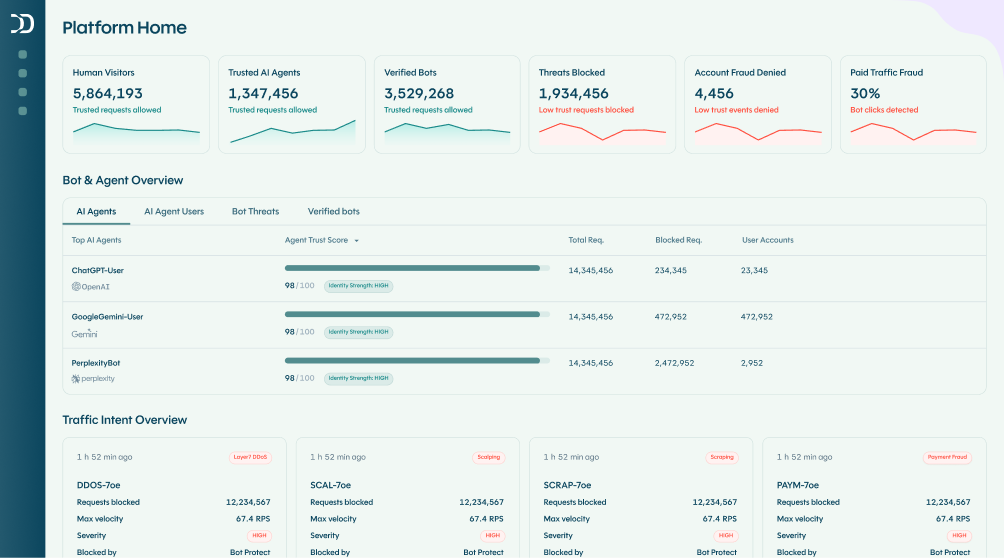
But if you want to know how to stop bot traffic without spending time and effort every day, the answer is robust bot detection and management software. DataDome is that software. It uses behavioral analysis to identify all kinds of crawlers, allowing access for legitimate bots like search engine crawlers while blocking malicious bots in real time.
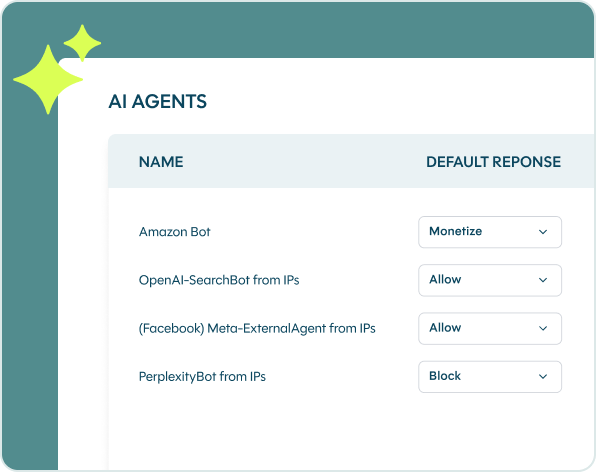
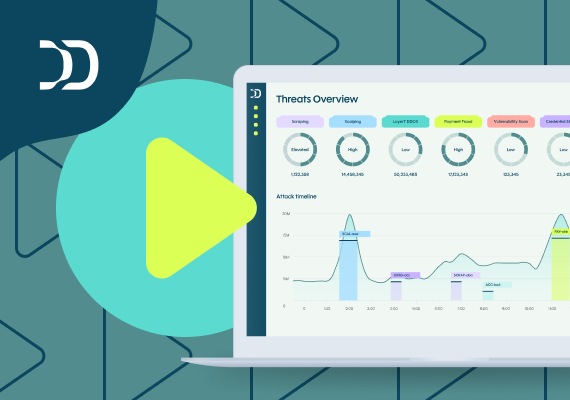
DataDome has customizable rules and policies, so you can block even good crawlers that you may not want on your website (for example, the crawlers of marketing tools you don’t use). The software also integrates seamlessly within your existing tech architecture, and it has detailed dashboards to help you understand instantaneously what threats you are being protected from.
Test your site’s defenses with our free Vulnerability Scan, or book a live demo to see DataDome in action.
Web crawler FAQs
A data crawler, also known as a web crawler or spider, is an automated bot that systematically browses the internet to index web pages. It collects information for search engines, data analysis, or other purposes such as content aggregation and AI training.
Googlebot is the most common web crawler. It’s Google’s primary bot for indexing the web and is responsible for more crawler traffic than any other single bot. After Googlebot, Bingbot (Microsoft) and various SEO tools like AhrefsBot and SemrushBot are among the most frequently seen in server logs.
Crawler activity refers to the actions taken by bots as they visit your website—fetching pages, following links, and recording data. Normal crawler activity is routine and expected. Unusual crawler activity—such as abnormally high request rates, crawling restricted pages, or traffic from bots using fake user agents—can indicate a problem.
A web crawler starts with a list of seed URLs, fetches those pages, extracts links from the content, adds those links to its queue, and repeats. The data it collects is indexed or stored for its intended purpose. Most search engine crawlers follow your robots.txt file to understand which parts of your site you’d prefer they not crawl.
A crawler navigates the web systematically by following links, typically to build an index. A scraper extracts specific data from pages—prices, contact details, product listings—usually for competitive or commercial use. In practice, most scrapers also crawl, but the intent is different. Scrapers are more likely to ignore robots.txt and disguise their user agents.

Related posts

What Is Seat Spinning? How Bots Distort Airline Demand Data & How to Stop Them
Tell me more

How SMG Blocks Millions of Scrapers Daily to Protect Switzerland's Leading Marketplace Platforms
Tell me more
How 1001Pneus Blocked Competitor Price Scrapers & Reclaimed Its Competitive Edge
Tell me more
How to Stop Bot Traffic From Crashing Your Site During Black Friday 2026
Tell me more