
How ChatGPT Plugins Work & What They Mean for Your Business
What are ChatGPT plugins?
On March 23, 2023, OpenAI announced plugins to connect ChatGPT to third-party applications. Plugins are used to connect large language models (LLMs) like ChatGPT to external tools and allow the LLMs to:
- Access external data available on the web.
- Access private data.
- Retrieve real-time information (such as news).
- Help users complete online actions (such as booking a flight).
How will ChatGPT plugins be used?
The use cases for ChatGPT plugins are extensive; here are the most common cases we might see:
- Booking Reservations at a Restaurant: Users can type something like “Book a table for two at 7 p.m. at La Baguette restaurant.” ChatGPT will parse the sentence, and the plugin will trigger the actual reservation using API requests.
- Ordering Groceries: Users can request groceries from one of several online grocery services like Instacart. ChatGPT will parse the grocery list, as well as the desired grocery service, and then complete the order for the user.
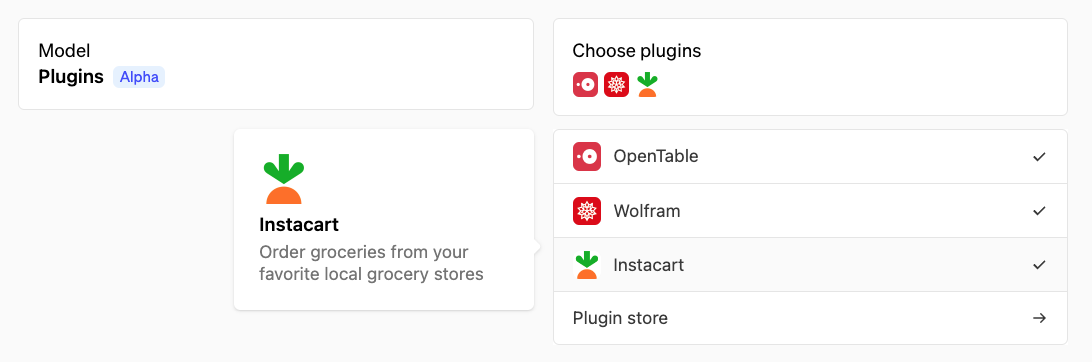
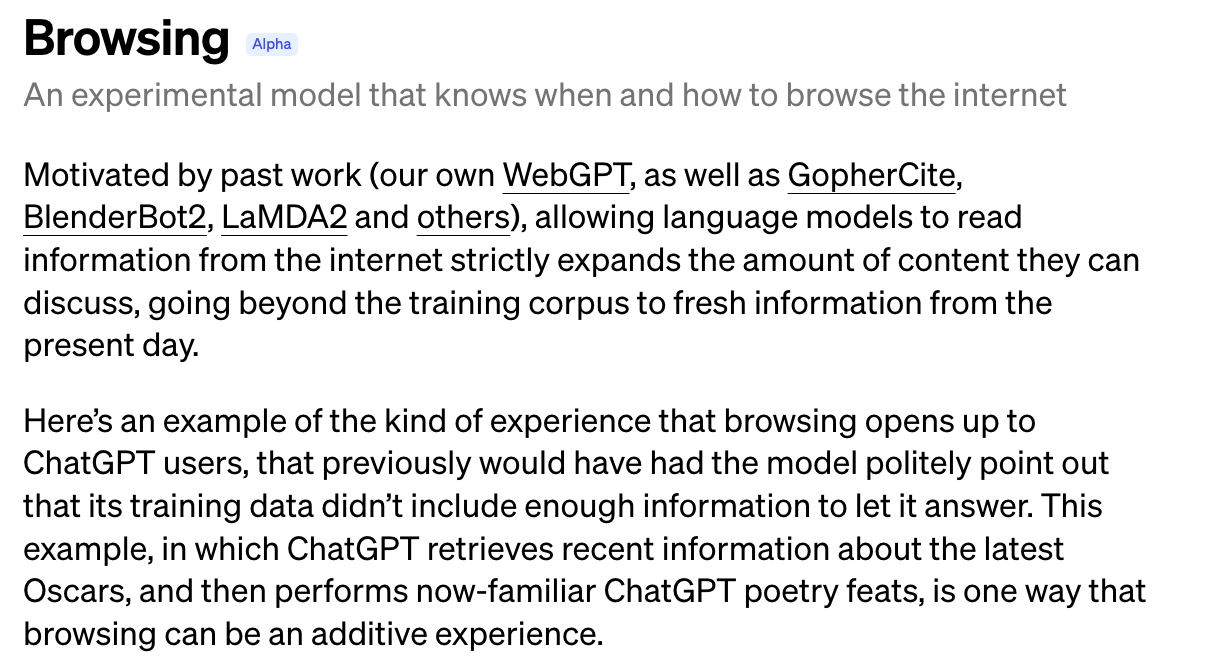
- Retrieving Real-Time Data: Another use case of ChatGPT plugins is to browse the web and retrieve real-time data. Without plugins as of June 2023, ChatGPT could not retrieve any real-time data or access the internet, and the most recent information in its training dataset is from September 2021. Thus, if a user asks ChatGPT about an event that occurred after September 2021, it will simply say that it is not aware of it. Plugins can locate up-to-date information online to share with the user.

While ChatGPT’s real-time data limit is being addressed with the “Browsing” model (currently in alpha), the use case is already covered by plugins such as WebPilot and Link Reader.
How do I know if ChatGPT plugins are making requests to my websites?
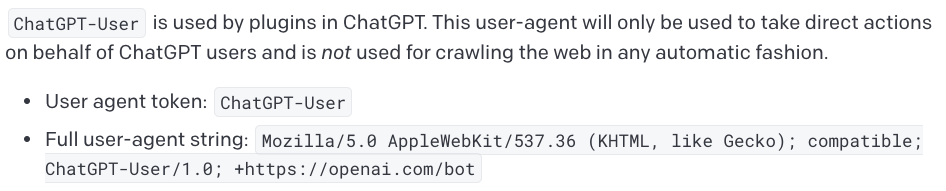
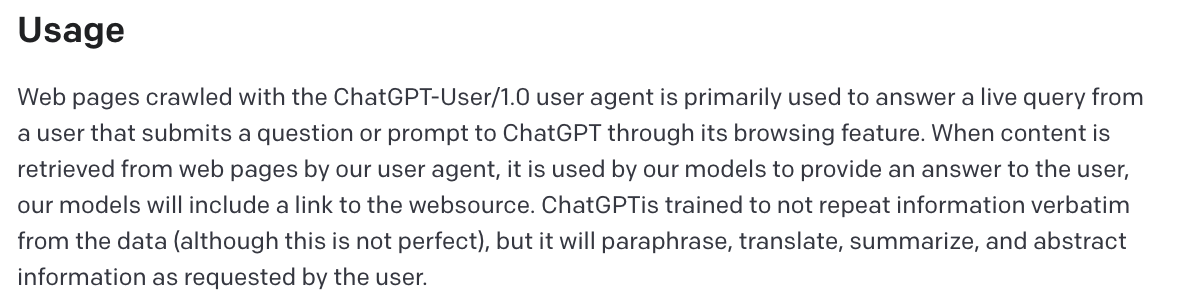
OpenAI documentation states that requests with the following user-agent HTTP header come from ChatGPT plugins: Mozilla/5.0 AppleWebKit/537.36 (KHTML, like Gecko); compatible; ChatGPT-User/1.0; +https://openai.com/bot
However, the documentation does not state that it is the only user agent that can be used by plugins when making HTTP requests.
Indeed, as ChatGPT plugins can interact with third party APIs, the APIs can then do any kind of HTTP requests from their own infrastructure—a feature at the foundation of ChatGPT plugins. For example, a plugin can enable users to do API calls to book a table at a restaurant or order groceries directly from ChatGPT.
The diagram below shows what happens under the hood when someone uses ChatGPT with a fictitious “Live Sport Plugin” to get the latest information about a sporting event.

In this case, the user interacts with ChatGPT to get the results of a sporting event. ChatGPT triggers the Live Sport Plugin and makes a request—with parameters parsed from the user prompt—to the API endpoints of the plugin. Then, the plugin makes an HTTP request to scrape a sports website to get the latest information about the event. The information is then passed back to the end user through ChatGPT.
In real life, a plugin API could make a request to a sport API, without necessarily having to scrape a sport website.
When requests are made directly from the server hosting the plugin API, there is no constraint on the user-agent. To show this, we analyzed two popular ChatGPT plugins likely to trigger HTTP requests from the servers that run their APIs:
- WebPilot: Can be used to browse web pages and PDFs/data, and to generate articles from one or more URLs.
- Link Reader: Can be used to read the content of all kinds of links, such as web pages, PDFs, powerpoints, and images.

Analyzing the WebPilot Plugin
We wrote a simple prompt in the ChatGPT UI—with the WebPilot plugin enabled—to summarize the content of one of our blog posts hosted on the DataDome website.

When we look at the request triggered by the WebPilot plugin in the DataDome dashboard, we see the request does not contain the ChatGPT plugin user-agent described in the OpenAI documentation.
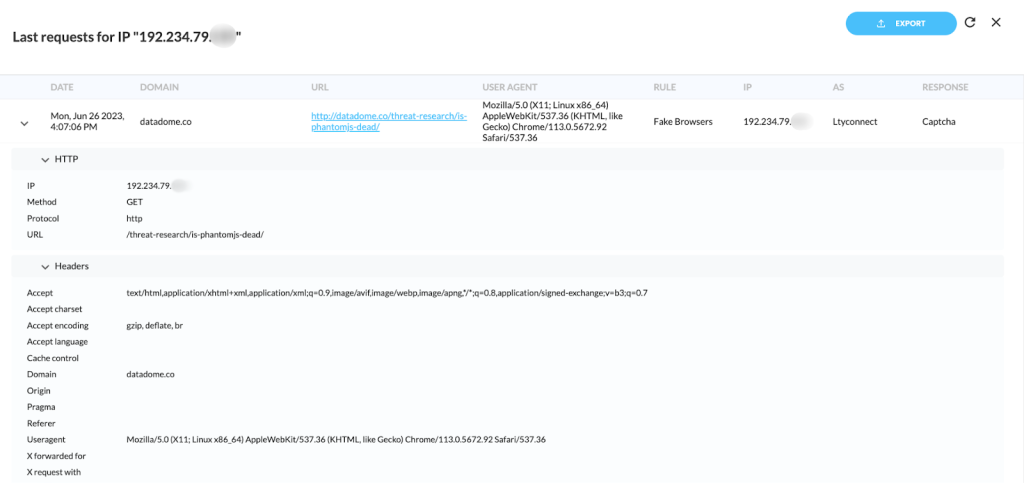
The request has a genuine Chrome 113 on Linux user-agent. However, note that it comes from a headless Chrome browser. Indeed, DataDome detects the following signals:
- The request contains the following user client hint:
"HeadlessChrome";v="113", "Chromium";v="113", "Not-A.Brand";v="24". - It lacks the accept-language header normally present on Chrome.
- The browser has
navigator.webdriver = true. - It has headless Chrome default screen resolution: 600×800 px.
Analyzing the Link Reader Plugin
We conducted the same experiment with another popular ChatGPT plugin: Link Reader.
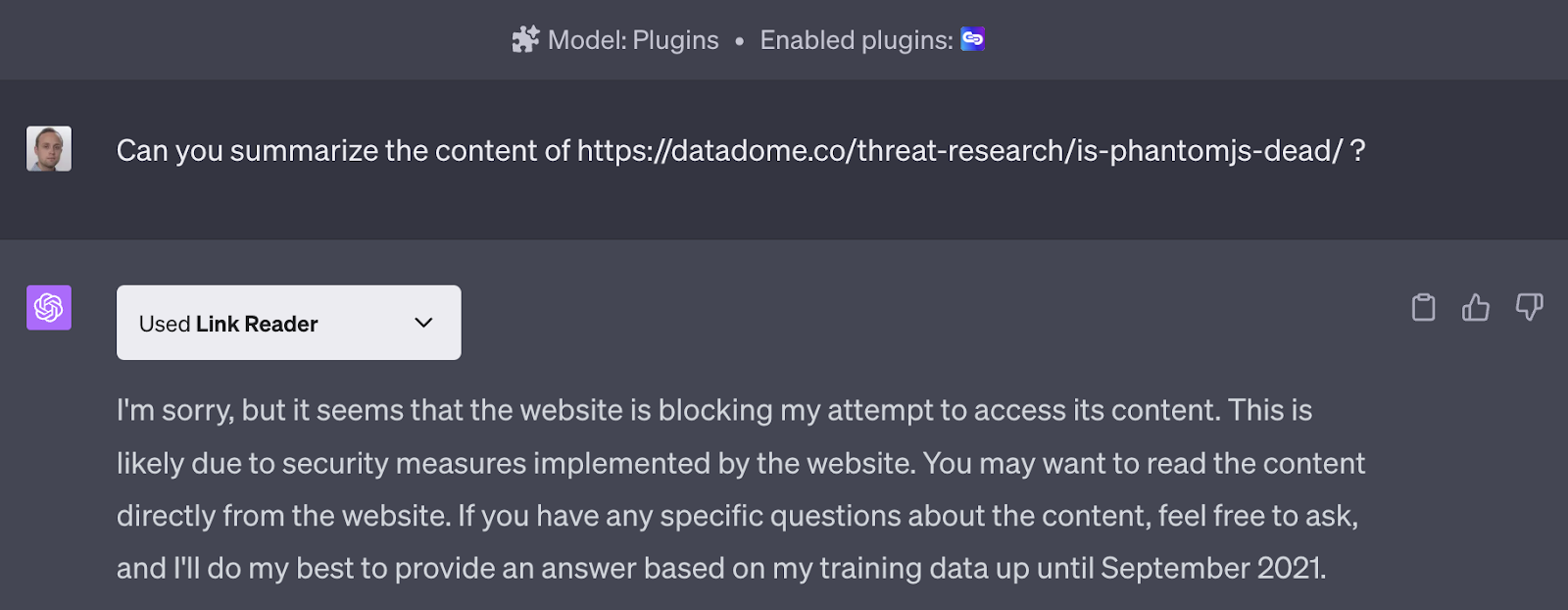
In this case, we see the request does have the ChatGPT plugin user-agent:

However, note that the IP address 3.91.22.243 belongs to AWS. It is a different IP address (and IP range) from the one presented in the OpenAI plugin’s doc (23.98.142.176/28) that belongs to Microsoft. This request is likely coming directly from Link Reader’s infrastructure, not OpenAI’s.
Are ChatGPT plugins used in the wild?
On average, we detect ~300K requests per week using the ChatGPT plugin user-agent: Mozilla/5.0 AppleWebKit/537.36 (KHTML, like Gecko); compatible; ChatGPT-User/1.0; +https://openai.com/bot. This traffic is linked both to ChatGPT plugins and the “browsing” feature of ChatGPT, which was still in alpha as of June 2023.
Top industries where we see plugins traffic:

It is more difficult to measure the traffic from plugins that make requests directly from their backend with a different user-agent, as each plugin has its own signature that may not be unique. For example, WebPilot uses headless Chrome, which is also used by a lot of other bot developers.
Can ChatGPT plugins impact my revenue in the long term?
ChatGPT plugins are quite new. Some businesses are developing their own plugins to provide a new way for users to interact with their content/services via ChatGPT, e.g. to book a hotel or a restaurant.
Depending on your industry, having users interact with your website through third party ChatGPT plugins could mean fewer ads seen by your users, as well as lower traffic to your website. Users may also be less willing to pay for your premium features if they can be replicated through third-party ChatGPT plugins—like if an unofficial web client that interacts with your site offers premium features through their UI.
How do you block requests coming from ChatGPT plugins?
In the case of plugins that declare their presence in their user-agent, you can block requests from a user-agent containing the ChatGPT-User substring (as contained in the ChatGPT plugin user-agent: Mozilla/5.0 AppleWebKit/537.36 (KHTML, like Gecko); compatible; ChatGPT-User/1.0; +https://openai.com/bot). Note that, as a side effect, you may also block ChatGPT users with the “browsing” mode activated. The process is similar to blocking ChatGPT’s web scrapers from retrieving your content.
For other plugins that don’t declare their identity in the user-agent, you will need to apply advanced bot detection techniques to identify that the request is coming from a bot.
Conclusion
Plugins for ChatGPT can allow users to access real-time information and perform tasks like ordering groceries. However, the increased use of ChatGPT plugins could result in fewer users actually navigating to your business website, leading to lower traffic and fewer ad clicks.
And contrary to what OpenAI documentation might indicate, detecting and blocking requests that originate from ChatGPT (and its plugins) is not as straightforward as blocking all requests with the ChatGPT-User substring (as contained in the ChatGPT plugin user-agent).
ChatGPT plugins can make requests directly from the servers hosting their APIs using any user agent, and even using automated (headless) browsers, as seen with the WebPilot plugin. In this case, there can be no straightforward and simple solution that relies only on the user-agent.
To avoid losing web traffic and ad revenue to ChatGPT and its plugins, you need to apply bot detection techniques, such as fingerprinting, proxy detection, and behavioral analysis. The main challenge is that you typically need to make a decision on the first request. Advanced solutions like DataDome’s bot and fraud protection leverage AI and machine learning (ML) to detect and stop unfamiliar bots from the first request, giving you peace of mind, and keeping your content from being used by unknown plugins.

Related posts

How 1001Pneus Blocked Competitor Price Scrapers & Reclaimed Its Competitive Edge
Tell me more

Beyond Detection Accuracy: Measuring the Real Business Impact of Bot Management
Tell me more

How to Block AI Bots, Crawlers, & Scrapers
Tell me more

What is Content Scraping & How Can You Prevent It?
Tell me more