


Secure Kubernetes by Running Bot Protection in Envoy
Kubernetes presents challenges for bot detection and protection. A Kubernetes cluster may include application containers that span different physical or virtual machines. You cannot just drop a conventional security control into the path of traffic. Security controls need to be tightly coupled to the application container. This is done using by adding a sidecar container to the pod that holds the application container.
Envoy is a commonly used proxy in Kubernetes clusters. It runs in a sidecar container. DataDome has created an Envoy module for bot detection and protection that is tightly integrated into Envoy to see all traffic that passes through it. Read on to learn how the DataDome Envoy module provides bot protection and how to get started.
Kubernetes bot protection where you need it — in Envoy
Envoy functions primarily as a Layer 7 proxy that operates on the principle that the network should be transparent to applications. That provides both benefits and challenges. The challenge being addressed here is how to protect the application from bots when the network is effectively transparent. You cannot just place a security appliance in the network.
As any proxy, Envoy sits between clients and applications, typically web servers. It handles all communications with the network so that the application does not need to be network-aware. All traffic to and from the application or web server passes through the Envoy proxy. This makes Envoy an ideal place to implement security controls.
Envoy has an impressive array of features, but there is no bot protection included. You need a solution like the DataDome Envoy module that can fully integrate into Envoy.
How the DataDome module for Envoy works
Integrate the Envoy module by following the simple instructions provided in the DataDome documentation. Download a script that implements the module, edit the Envoy configuration file and you’re up and running.
DataDome technology is deployed in regional endpoints. The architecture provides high availability using autoscaling technology, essential to support DataDome’s real-time bot detection. The Envoy module monitors the responses from the endpoint and will block the query if it detects malicious activity.
Key benefits
Leveraging the Envoy module provides:
- Expert bot detection that reliably distinguishes humans from bots
- Protection fully integrated into Envoy
- Inspection of all traffic to Kubernetes cluster applications
- Elimination of illegitimate traffic, resulting in improved overall performance
- Protection in real time from all OWASP automated threats
- A custom rules engine that facilitates optimized performance in any environment
Getting started with the DataDome Envoy module
Follow the Envoy module installation instructions in our technical documentation.
- Download the latest Envoy module using the link provided in the documentation.
- Copy the datadome.lua file to the server
- Update your Envoy configuration file as described in the instructions
To give it a try, click the FREE TRIAL button below. No credit card required to create your account. Then check out your personal DataDome dashboard.
Related posts

Introducing DataDome's Hosted MCP Server for Direct AI Agent Access to Trend Reports
Tell me more

Account Protect Updates: Clearer Visibility, Stronger Signals, & More Control
Tell me more

Q2 2026 Product Roundup: Agent Trust, Priority Protect, & More
Tell me more
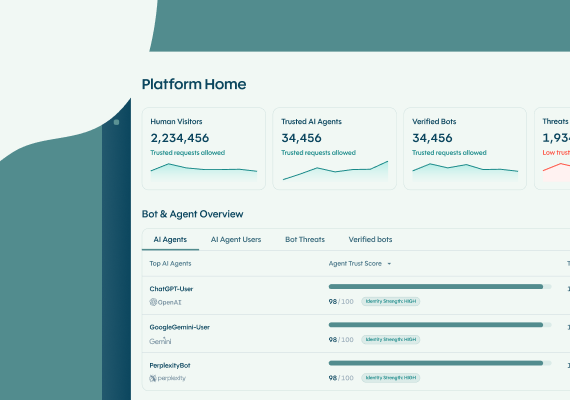
The DataDome Homepage: Your Command Center for Trust & Control
Tell me more

