


ReCAPTCHA & GDPR: How to Stay Compliant with GDPR in 2024
Protecting your website from bots is necessary to protect your organization and customer data. To mitigate risk, many companies use a CAPTCHA on their website. A CAPTCHA, which means “Completed Automated Public Turing test to tell Computers and Humans Apart,” requires users to complete challenges that are meant to be easy for humans but difficult for bots. However, as bots become more sophisticated, they’re often able to bypass traditional CAPTCHAs.
Although different varieties of CAPTCHAs exist, Google’s reCAPTCHA is commonly used on website forms or to prevent spam.
Companies using Google reCAPTCHA should understand how it works and its limitations if they need to comply with the European Union General Data Protection Regulation (GDPR).
How Google ReCAPTCHA Works
Google reCAPTCHA v3, including invisible reCAPTCHA, provides an adaptive risk analysis engine that reviews interactions to provide a risk score, alerting users to suspicious traffic. ReCAPTCHA v3 includes an “Action” tag that can be used across the user journey so that the risk analysis engine can monitor activity across multiple pages.
Google reCAPTCHA v3 offers three unique benefits:
- More control over when users need to provide additional verification.
- Ability to enrich the risk score with information about the user, including transaction history or profile.
- Option to use the score to help train machine learning models.
Fundamentally, reCAPTCHA works to help fight simple bots. However, it has some significant limitations, including:
- Inability to protect against sophisticated bots.
- Failure to streamline user experience.
- Data privacy non-compliance issues.
Is Google reCAPTCHA compliant with GDPR?
For online businesses, reCAPTCHA poses a GDPR compliance risk if not implemented correctly.
Under the GDPR, you have a requirement to protect personal information/data. The regulation includes the following in its definition of “personal data”:
An online identifier to one or more factors specific to the physical, physiological, genetic, mental, economic, cultural, or social identity of a natural person.
Further, in Recital 30, the GDPR specifies IP addresses and cookie identifiers as online identifiers.
ReCAPTCHA uses cookie data and other tracking technologies as part of its risk scoring to determine whether activity is suspicious or not. Since you can also enrich the risk score with information like transaction history, you could be combining personal data with an online identifier to make an assumption about user intent, whether it’s economic, physiological, cultural, or social.
In addition, the GDPR requires that users know when you transfer personal data to another country for processing. ReCAPTCHA sends the collected data to Google’s US servers to complete processing, which implicates your GDPR compliance posture.
Issues With Google ReCAPTCHA and GDPR Compliance
While Google reCAPTCHA’s free tool may mitigate risks arising from simple bots, it lacks transparency that can undermine your GDPR compliance goals.
1. User Consent
At its core, the GDPR focuses on giving data subjects control over what data companies collect and how they use that information. ReCAPTCHA’s “easier user experience” conflicts with the GDPR requirement that companies provide transparency into data collection and use.
According to Article 13, when companies collect personal data, they must provide the following notifications at the time they obtain the information:
- Controller identity and contact details.
- Data protection officer details, if applicable.
- Reason for processing data and legal basis for doing so.
- Where data is processed and legitimate interests for doing so.
- Who will receive the data.
- Intent to transfer data to a different country, if applicable.
Article 21 requires companies to give data subjects the right to object to the collecting and processing of their personal data.
Combined, articles 13 and 21 create what’s normally called the “Cookie Policy.” Any time you collect cookies, which the GDPR considers personal data, you need to get user consent and offer the ability to opt out.
You risk a GDPR violation if you’re using reCAPTCHA and fail to:
- Notify the customer.
- Get consent.
- Allow customers to opt out.
2. Purpose of Processing and Data Minimization
Article 5 outlines the lawful reasons for processing personal data. Additionally, it establishes a “purpose limitation” requirement. As relates to reCAPTCHA, personal data can be:
- Collected for specified, explicit, and legitimate purposes.
- Not further processed in a way outside those purposes.
- Processed further only if it serves the public interest, scientific, historical, or statistical purposes.
Further, Article 5 establishes a data minimization requirement noting that data collection must be adequate, relevant, and limited to what is necessary.
This is another potential risk. Although reCAPTCHA provides some protection against bot attacks, there are alternative bot protection solutions that do not require you to process personal data. Therefore, using reCAPTCHA does not necessarily comply with the data minimization and purpose limitation requirements.
3. International Data Transfers
In Article 46, the GDPR explains that when transferring personal data to a third country, controllers and processors need to implement appropriate safeguards. It then explains that an appropriate safeguard would be contracts between the parties handling data (controller, processor, or recipient of personal data). It’s also important to remember that when you transfer data to a third country, you need to notify the data subject and obtain consent.
Since reCAPTCHA sends data to the US, if you are in another country, you need to ensure you have a contract with Google. You also need to tell end-users that you’re transferring their data. Otherwise, you may have a GDPR violation.

The Risks of Not Being GDPR Compliant
Balancing data subject privacy, cybersecurity, and compliance is a challenge. You need to mitigate malicious bot risks without using reCAPTCHA—which would increase your compliance risk. When you understand the risks of noncompliance, you can make a more informed decision.
General Data Protection Regulation (GDPR) Penalties
Under the GDPR, a violation can lead to fines up to €20 million or 4% of your total annual revenue. You may also be banned from processing data.
Every country has its own Data Protection Authority (DPA) that determines fines and processing restrictions. In some cases, the DPA may choose to apply both.
Damage of Company Reputation
GDPR violations are public record. News organizations often report on GDPR fines and penalties. The reputational impact has a ripple effect: customers read about the violation, no longer trust you, and choose to go to a competitor.
Cost of Damage Control
Overcoming damage to your reputation also costs money. You may need to pay a public relations firm to help you:
- Respond to media inquiries.
- Monitor the news for articles.
- Communicate the issue on your website.
Liability for Damages
Under Article 82, the GDPR gives data subjects the right to receive compensation for material or non-material damages arising from a violation. If you violate the GDPR, data subjects can file a lawsuit, leading to attorney fees and payment for any assessed damages.
Withdrawal of GDPR Certification
To enable data subjects, some companies achieved a GDPR certification under Article 42 as part of being transparent. A GDPR violation might mean that you no longer meet the certification criteria, enabling certification bodies to revoke it.
How to Remain GDPR Compliant When Using ReCAPTCHA
Since the GDPR focuses on telling people what data you collect and how you can use it, reCAPTCHA users need to have the appropriate information on their website, so that end-users can provide informed consent.
1. Use a Privacy Policy for Google’s ReCAPTCHA
Websites that use reCAPTCHA should have a privacy policy specifically addressing reCAPTCHA. It should include:
- What it is.
- How it is used.
- How it works.
- The legal basis for using it.
- How people can withdraw consent.
- Names of third-party processors.
- Where the third-party processors process data.
- What their safeguards are.
2. Include a Cookie Policy
You may already have a cookie policy on your website. However, websites that use reCAPTCHA need to include:
- Any cookies placed by reCAPTCHA.
- What cookies will be set.
- What the cookies will do.
3. Include a Cookie Banner and Cookie Law Adherence
Your cookie banner is the notice at the bottom of your website telling people that you collect cookies. Whether reCAPTCHA is being considered as both a marketing and a spam protection cookie, websites need to make sure to offer users the ability to opt out.
Limitations of Google ReCAPTCHA for GDPR Compliance
You need to understand reCAPTCHA’s limitations and how it can impact your GDPR compliance.
Data Breaches
Cybercriminals can use reCAPTCHA during a phishing attack to gain people’s trust. One attack sent emails that pretended to be a new voicemail notification. When users clicked the link, it sent them to a webpage with a reCAPTCHA. Assuming it was a security protection, they clicked the reCAPTCHA which then sent them to a phishing page to collect credentials.
Bot Attacks
While you may use reCAPTCHA for bot protection, sophisticated bot attacks often use image recognition software that can solve the challenges.
Client-Side Website Attacks
Some reCAPTCHA implementations use JavaScript. However, JavaScript is not always a secure option and can leave you open to client-side website attacks.
GDPR Alternatives to ReCAPTCHA
The good news is that you can find reCAPTCHA alternatives that enable security without risking consumer data privacy.
1. Bot Protection Solution
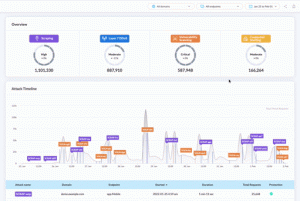
Bot protection solutions eliminate the need for a reCAPTCHA. You create an allow-list of trusted partner bots, and then the solution protects you from everything else.
2. HoneyPot
With a honeypot, you can trick bots. When you incorporate hidden form fields into your forms, people don’t see them but bots often complete them. You’re not collecting personal data, but you still catch malicious bots.
Stay GDPR Compliant With DataDome
DataDome’s bot protection and GDPR compliant CAPTCHA solution protect customer data and privacy. Our advanced bot protection solution operates and learns in real time, processing 1 trillion data signals to ensure a false positive rate below 0.01%. Although 99.99% of your users will never see a CAPTCHA, we built one that is user friendly, privacy compliant, and secure against (even the most sophisticated) bots. Our CAPTCHA is integrated to update our bot protection solution, keeping you safe across all endpoints.
Our CAPTCHA is compliant with local data privacy laws in North America, EMEA, APAC, South America, and Africa.

Related posts

Introducing Proof of Browser: How DataDome Blocked 14 Million Bypass Attempts
Tell me more

The Forrester Wave™: Bot And Agent Trust Management Software, Q2 2026: Key Findings & DataDome's Recognition as a Leader
Tell me more

DataDome Named a Leader in Top Analyst Report for Bot and Agent Trust Management, a New Category Defined by the Rise of AI Agents
Tell me more
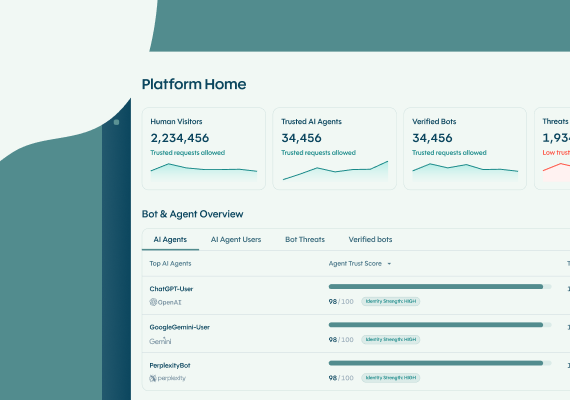
The DataDome Homepage: Your Command Center for Trust & Control
Tell me more

