
How to Block AI Bots, Crawlers, & Scrapers
Most sites that block AI bots block less than you may think. The problem is that robots.txt offers no feedback. You add the instructions, save the file, and nothing in your logs or console confirms whether they had any effect. An AI bot, crawler, or scraper that ignores the file produces no error. The configuration gets made once and is rarely revisited.
DataDome tested this problem at scale, sending 698,214 sites a request that faked ChatGPT’s identity. Nearly 80% of websites allowed it through.
This guide covers what to do about that. It sets out the AI bots, crawlers, and scrapers currently reaching websites, what each of them is for, and four methods for stopping them, from a robots.txt edit to cryptographic identity verification. Each method comes with a plain account of which bots it stops and which it doesn’t.
Key takeaways
- AI bots do three different jobs: train models, index for AI search, and fetch pages on a user’s behalf. Blocking one does not automatically block the others.
- Robots.txt only governs bots that declare themselves and choose to follow the instructions. Several major crawlers state in their own documentation that it may not apply to them.
- Four methods combined can stop AI, bots, crawlers, and scrapers: robots.txt, HTTP headers, edge rules, and bot and agent trust management that verifies identity and assesses intent.
- The right question is no longer “bot or not.” It is “who is this, and what is their intent?”
What are AI bots?
AI bots are automated clients that read your content to build or serve AI products. They do not usually exist to send you visitors, which is a way to distinguish them from search crawlers.
For example, Googlebot is a crawler that indexes your page so someone can find it on Google and click through to it. An AI training crawler absorbs your page into a model that answers questions someone may have about your company without the click.
AI bots have three distinct jobs, and the distinction drives everything that follows:
- Training bots collect content to train or fine-tune a large language model (LLM).
- Index crawlers build an index of information that an AI product queries when it answers a question.
- Live fetchers retrieve one specific URL at the moment somebody asks about it.
The AI bots hitting your site in 2026
Every entry below comes from the operator’s own published documentation.
| Bot | Operator | Job | Honors robots.txt? |
| GPTBot | OpenAI | Trains foundation models | Yes |
| OAI-SearchBot | OpenAI | Indexes for ChatGPT search | Yes |
| ChatGPT-User | OpenAI | Fetches a page when a user asks | Rules may not apply |
| OAI-AdsBot | OpenAI | Checks pages submitted as ChatGPT ads | Only visits submitted ad pages |
| ClaudeBot | Anthropic | Trains Claude | Yes |
| Claude-SearchBot | Anthropic | Indexes for Claude search | Yes |
| Claude-User | Anthropic | Fetches a page when a user asks | Yes |
| Google-Extended | Control token for Gemini training and grounding | Control token, not a crawler | |
| Google-Agent | Google agents acting on a user’s request | Yes | |
| Google-CloudVertexBot | Crawls you request for your own Vertex AI agents | Yes | |
| Meta-ExternalAgent | Meta | Trains models, indexes content directly | Yes |
| Meta-WebIndexer | Meta | Indexes for Meta AI answers | Yes |
| Meta-ExternalFetcher | Meta | Fetches links at a user’s request | May bypass robots.txt |
| PerplexityBot | Perplexity | Indexes for Perplexity search | Yes |
| Perplexity-User | Perplexity | Fetches a page when a user asks | Generally ignores it |
| CCBot | Common Crawl | Builds an open dataset used to train many models | Yes |
| Amazonbot | Amazon | Supports Amazon AI products | Yes |
| Applebot-Extended | Apple | Control token for Apple Intelligence training | Control token |
| Bytespider | ByteDance | Trains ByteDance models | Contested |
These are not rogue scrapers, but the published policies of major platforms. OpenAI, Perplexity, and Meta all have AI bots that may bypass or ignore your robots.txt file.
What is the difference between AI training bots and RAG bots?
Training bots take your content once and keep it. RAG bots keep returning to your content and can send you visitors in the process. In more detail:
Training means your content is absorbed into the LLM’s weights. Once trained, the model never needs your site again. No attribution, referral, or compensation.
Retrieval-augmented generation (RAG), also called grounding, describes what the model does when it answers a question. It can answer a question in two ways:
- Index crawlers such as OAI-SearchBot, Claude-SearchBot, PerplexityBot, and Meta-WebIndexer visit on their own schedule and build an index the assistant searches at answer time. Nothing is fetched live. This is the AI equivalent of Googlebot, and it responds to robots.txt the same way.
- Live fetchers such as ChatGPT-User, Claude-User, Perplexity-User, and Meta-ExternalFetcher retrieve a single URL the moment a user asks. It happens in real time, and it explains why several operators state that robots.txt may not apply to them. A person requested the page, so they treat it as a user action rather than a crawl.
Both index crawlers and live fetchers can produce a citation, so both can send you traffic, except that only index crawlers will respond reliably to your robots.txt file. This distinction is useful because it can tell you how each AI platform provides information to its users.
For instance, DataDome’s Q2 2026 AI traffic report shows that ChatGPT-User’s crawl volume fell 6% quarter on quarter, while ChatGPT referral clicks rose 17%. ChatGPT now accounts for 80% or more of all AI-driven referral traffic. Meanwhile, Meta tells the opposite story. Meta-ExternalAgent and Meta-WebIndexer together generated 9.1 billion requests in Q2, more than half of all AI traffic on DataDome’s network, and sent back almost no visitors.
At this point in time, most publishers block training crawlers and allow grounding crawlers, at least until compensation frameworks mature. Whether that trade works for you depends on whether AI referrals convert for your business. If they do, an agent trust management solution is the most efficient way to clearly see your AI traffic and let through only the ones you trust.
Why should you block AI bots?
Unrestricted AI crawling costs you money, competitive position and infrastructure without providing anything in return. More specifically:
- Your content trains a substitute for your content. If your business depends on original research, product descriptions or editorial, a model trained on it can produce a near-equivalent for free. Your R&D budget subsidises a competitor’s output.
- You pay to serve traffic that never converts. Billions of requests consume bandwidth, CPU, and CDN spend. Meta alone generated 9.1 billion requests on DataDome’s network in a single quarter with negligible referral value
- Your analytics stop describing reality. When bot traffic is misattributed as human or spoofed AI referrals inflate a channel, you optimize for noise. DataDome’s threat research team documented a surge in what looked like ChatGPT referral traffic that turned out to be scrapers running 22 requests per second through residential proxies.
- You lose control of how your brand is represented. Outdated or misread content surfaces in AI answers under your brand, with no way to correct that misinformation.
What are the three tiers of AI bots that you can verify?
Not all AI bots can be identified with the same confidence, and your defense has to match that. There are three tiers.
Tier 1: Well-behaved bots
These declare themselves honestly through their user agent and respect robots.txt. It covers the major frontier labs: OpenAI, Anthropic, Google, Meta and Perplexity. All of them publish IP range files you can check against, and some now support Web Bot Auth, an emerging IETF standard that attaches a cryptographic signature to every request.
Robots.txt and HTTP headers are sufficient here, because the operator has already decided to cooperate.
Tier 2: Poorly-behaved but detectable bots
These either ignore robots.txt while identifying themselves accurately, or spoof a legitimate user agent to inherit the lighter scrutiny that recognized AI traffic receives. Either way, they can be detected through IP verification against the operator’s published ranges, TLS fingerprints, behavioral patterns, and request distribution.
The catch is that detection only happens if you run the check. DataDome sent a spoofed ChatGPT-User request to 698,214 reachable websites. 79.7% allowed it through, and only 17.8% blocked or challenged it. OpenAI publishes ChatGPT-User’s IP ranges, so a single lookup would have exposed every one of those requests.
Tier 3: Bad bots
These actively evade detection at every layer. They rotate residential IP addresses, run real browser engines, and pace their requests to look human, so there is no stable identity to verify and no published range to check against. Blocking every known AI user agent does nothing to them.
DataDome’s threat research team documented one operation posing as human visitors arriving from ChatGPT: 22 requests per second through residential proxies, with a single session hitting 109 product pages in five seconds. Nothing in the headers gave it away; only the pacing did.
Catching this tier requires ML-powered behavioral analysis.
How do you identify AI crawlers?
You identify AI crawlers by finding and verifying their user agent first. Then you watch their behaviour. Both steps are required. Never rely solely on an AI crawler self-identifying. For the underlying detection techniques that apply to bot traffic generally, see this guide to identifying bot traffic.
User agent string
The robots.txt token is the short name you write into your directives. The user agent string is what actually arrives in your server logs. For example:
| Bot | robots.txt token | User agent string |
| GPTBot | GPTBot | Mozilla/5.0 AppleWebKit/537.36 (KHTML, like Gecko); compatible; GPTBot/1.1; +https://openai.com/gptbot |
| ClaudeBot | ClaudeBot | Mozilla/5.0 AppleWebKit/537.36 (KHTML, like Gecko; compatible; ClaudeBot/1.0; +claudebot@anthropic.com) |
| CCBot | CCBot | CCBot/2.0 (https://commoncrawl.org/faq/) |
Match on the token, not the full string, which operators revise without notice.
Traffic pattern signals
The following patterns indicate automated collection even when the user agent looks unremarkable:
- High request volume from a single source or a narrow IP block
- Systematic crawls that walk your site structure in order
- Heavy bias toward text pages, with images, scripts, and interactive elements ignored
- Unusual retrieval of older archive content that gets no human traffic
- Requests that hit your APIs directly and never touch the interface
Why self-identification is not enough
A user agent is a string the client chooses. Nothing prevents any script from sending OpenAI’s strings. This is why identification has to include verification. For Tier 2 impostors, verification settles it. For Tier 3 bots, which present no consistent identity to verify, only behavioral analysis works.
How do you block AI bots?
There are four methods for blocking AI bots, in ascending order of coverage and effort.
Method 1: Use robots.txt
This works against Tier 1 bots only. Robots.txt is the fastest first step, but also the weakest enforcement you have. It only stops bots that choose to comply.
Training crawlers
User-agent: GPTBot
Disallow: /
User-agent: ClaudeBot
Disallow: /
User-agent: CCBot
Disallow: /
User-agent: Google-Extended
Disallow: /
User-agent: Applebot-Extended
Disallow: /
User-agent: meta-externalagent
Disallow: /
User-agent: Bytespider
Disallow: /
User-agent: Amazonbot
Disallow: /
Search and grounding crawlers
Blocking search crawlers removes you from AI answers, so you’ll want to decide deliberately.
User-agent: OAI-SearchBot
Disallow: /
User-agent: Claude-SearchBot
Disallow: /
User-agent: PerplexityBot
Disallow: /
User-agent: Meta-WebIndexer
Disallow: /
Every bot needs its own group. Blocking ClaudeBot does not block Claude-SearchBot or Claude-User. Blocking GPTBot does not block OAI-SearchBot. These are separate controls by design, and operators built them that way so you can allow search while refusing training.
Robots.txt is worth doing. It is a public statement of intent, and evidence if you ever need to argue unauthorized use. But it works on the bots that were going to cooperate anyway and is not protection.
Method 2: Use HTTP headers and page-level meta tags
This works against Tier 1 bots with page-level precision. Headers give you page-by-page control instead of whole directories, and reach some AI products robots.txt doesn’t. For example, for Microsoft’s AI products, use the tag Microsoft honors:
<meta name=“robots” content=“noarchive”>
Content tagged noarchive is excluded from Bing’s AI answers and from training Microsoft’s foundation models, while your normal Bing listing survives. nocache is the softer option: content may still appear in AI answers, but only as URL, title, and snippet.
Do not use X-Robots-Tag: noindex as an AI control. It removes the page from search results, but doesn’t stop AI training crawlers. If you want out of search, it’s the right tag. If you want out of AI training, it’s not helpful.
Same caveat as Method 1 here: these are voluntary signals, and a bot has to fetch the page to read them.
Method 3: Apply technical barriers
This works against Tier 1 and Tier 2 AI bots if you verify rather than pattern-match. It is where you stop asking and start enforcing.
Rate limiting caps requests per source over time. Effective against crawlers hammering one address, but useless against a scraper distributed over thousands of residential IPs.
JavaScript rendering keeps content out of a plain HTTP fetch. Serious crawlers run headless browsers, and gating content behind JS costs you search visibility and accessibility. Treat it as friction, not a barrier.
IP verification is the technique that separates this method from the two above. Checking whether a request claiming to be GPTBot originates from OpenAI’s published range will stop impostors.
Edge functions and CDN rules are where you implement these barriers. One caution from Anthropic’s documentation: blanket IP blocking can prevent crawlers from reading your robots.txt at all, so your stated preferences never register.
Method 4: Use bot and agent trust management that verifies identity and reads intent
This works against all tiers of AI bots. For bots that spoof, rotate, and evolve, behavioral analysis is the only reliable defense. Agent trust management defends against these kinds of bots. Instead of asking “is this a bot”, the system asks:
- Whether the agent can cryptographically prove who it is
- Whether its intent matches what it claims to be doing
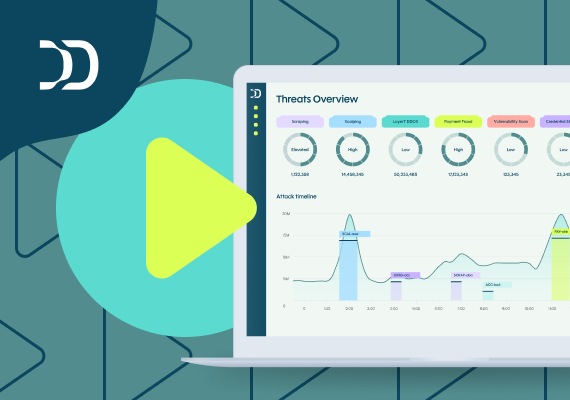
Forrester recently evaluated the vendors in this market in The Forrester Wave™: Bot and Agent Trust Management Software, Q2 2026. DataDome was named a Leader in that evaluation, receiving the highest Current Offering score out of all evaluated vendors.
Learn more about why Forrester expanded the bot management category to include agent trust:
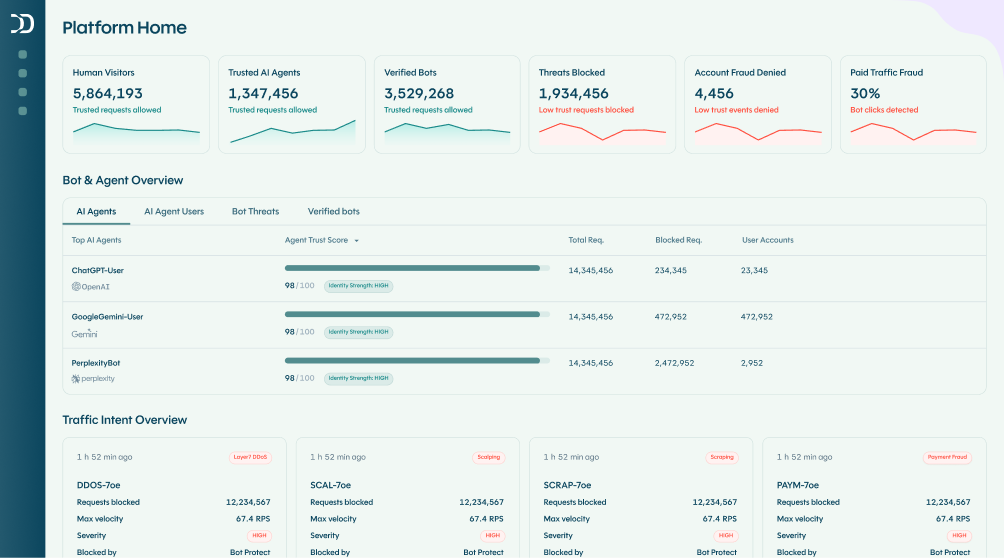
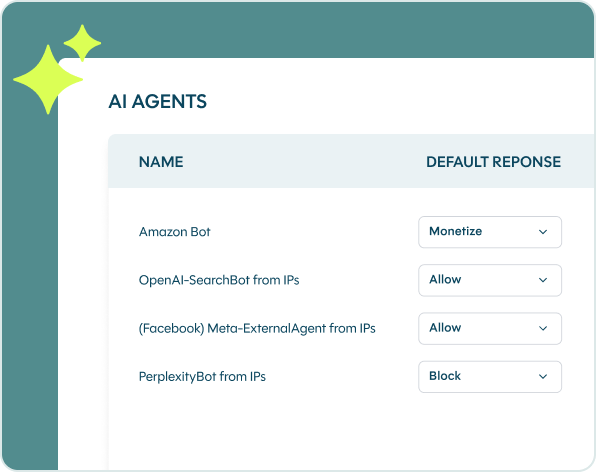
With DataDome’s agent trust capabilities, you gain full visibility and understanding into your platform’s automated traffic, with the ability to detect the intent of AI agents. That means you can give access to search crawlers and social preview bots, while also blocking training crawlers and impersonators.
That selectivity is also what makes AI traffic monetizable rather than merely blockable. Fast Company’s VP of Corporate Business Development, Patrick Hainault, describes the combined approach as the reason they can control access: “DataDome detects and handles the most sophisticated AI traffic, boosting our ability to monetize.”
What are the best practices for blocking AI bots?
- Layer the methods. Each method covers a different tier. Running all four will leave you with the strongest defense against AI bots.
- Verify, do not trust. Match user agents against published IP ranges and adopt Web Bot Auth where operators support it. A user-agent string is a claim, not a credential.
- Audit your robots.txt for accidental blocks. A legacy
Disallow: /underUser-agent: *with Allow exceptions for Googlebot and Bingbot now silently blocks every AI crawler that would have cited you. - Re-review quarterly. OpenAI added OAI-AdsBot, Google added Google-Agent in March 2026, Anthropic split one bot into three and deprecated
Claude-Webandanthropic-ai. A file written in 2025 is already out of date. - Put the legal position in writing. Update your terms of service to prohibit crawling for AI training without a licence.
The threat is moving beyond scraping
Three tiers of AI bots need four layers of defense. Robots.txt and HTTP headers handle the bots that were always going to cooperate. Edge rules catch the careless ones. Only identity verification plus behavioural analysis reaches the ones that lie about who they are.
The threat is already moving beyond scraping. MCP traffic on DataDome’s network went from nothing to peaks approaching 500,000 requests per day in a matter of weeks. In other words, the agents that can scrape can now also call your APIs, submit forms, and complete your checkout. While most of it is benign, some of it is not.
Start by finding out where you stand today. Run a free vulnerability scan to see whether a spoofed AI agent can reach your site today, or book a demo to see DataDome’s intent detection in action.
FAQ
To stop your content being used to train commercial models without permission, attribution or payment, and to stop paying infrastructure costs for traffic that returns nothing.
No. It only governs bots that declare themselves and choose to comply. Meta and Perplexity both state in their own documentation that certain user-triggered fetchers may bypass it. Tier 2 and Tier 3 bots need enforcement at the edge or in a bot management platform like DataDome’s.
No. Google’s documentation states plainly that Google-Extended does not affect a site’s inclusion in Google Search and is not a ranking signal. Blocking GPTBot, ClaudeBot or CCBot has no bearing on Google Search at all. Only blocking Googlebot itself would.
Add User-agent: Google-Extended / Disallow: / to robots.txt. This covers Gemini training and grounding in Gemini Apps and Vertex AI. It does not remove you from AI Overviews, which are served from the Search index. Removing yourself from AI Overviews currently requires blocking Googlebot, which removes you from Google Search.
Add <meta name="robots" content="noarchive"> to your pages. Microsoft excludes noarchive content from Bing’s AI answers and from training its foundation models, while your normal Bing search listing is unaffected. Do not block Bingbot, which removes you from Bing search.
Add User-agent: GPTBot / Disallow: / for training. Add User-agent: OAI-SearchBot / Disallow: / if you also want to be excluded from ChatGPT search answers, accepting the visibility loss. ChatGPT-User is user-triggered, and OpenAI states robots.txt rules may not apply to it, so that one needs enforcement rather than a directive.
Training bots absorb your content permanently and send no traffic back. Grounding bots fetch it in real time and can cite and link you. Blocking training bots costs you nothing in visibility. Blocking grounding bots removes you from AI answers.
On Cloudflare, use Security Settings > Configure AI bot policies. On Nginx, match the user agent in a server block and return 403. On Apache, use a RewriteCond on %{HTTP_USER_AGENT} with a RewriteRule returning [F]. All three match on a claimed identity, so none of them stops a spoofed agent.
It is the shift from “bot or not” to “can I verify this agent, and is it behaving as claimed”. It combines cryptographic identity verification with continuous behavioural analysis, which is the only approach that holds up once user-agent strings can no longer be trusted.

Related posts
The AI Traffic Report Q3 2026: Agentic Browser Traffic Jumped 4.7x in September as Meta's Muse Hits 29M Requests in 12 Days
Tell me more

How to Stop Bot Traffic From Crashing Your Site During Black Friday 2026
Tell me more
Which Industries Are Least Protected From Bots & Spoofed AI Agents in 2026?
Tell me more

AI Traffic Is Up 82%. Can You Tell Which Agents to Trust?
Tell me more